Your progress
Where you left off, what counts as finished, your certificate, and who can see your progress.
This page explains how Vidext keeps track of your progress, what counts as finished, how you get a certificate, and who can see your progress.
You don't mark anything complete yourself. Vidext saves your progress as you go.
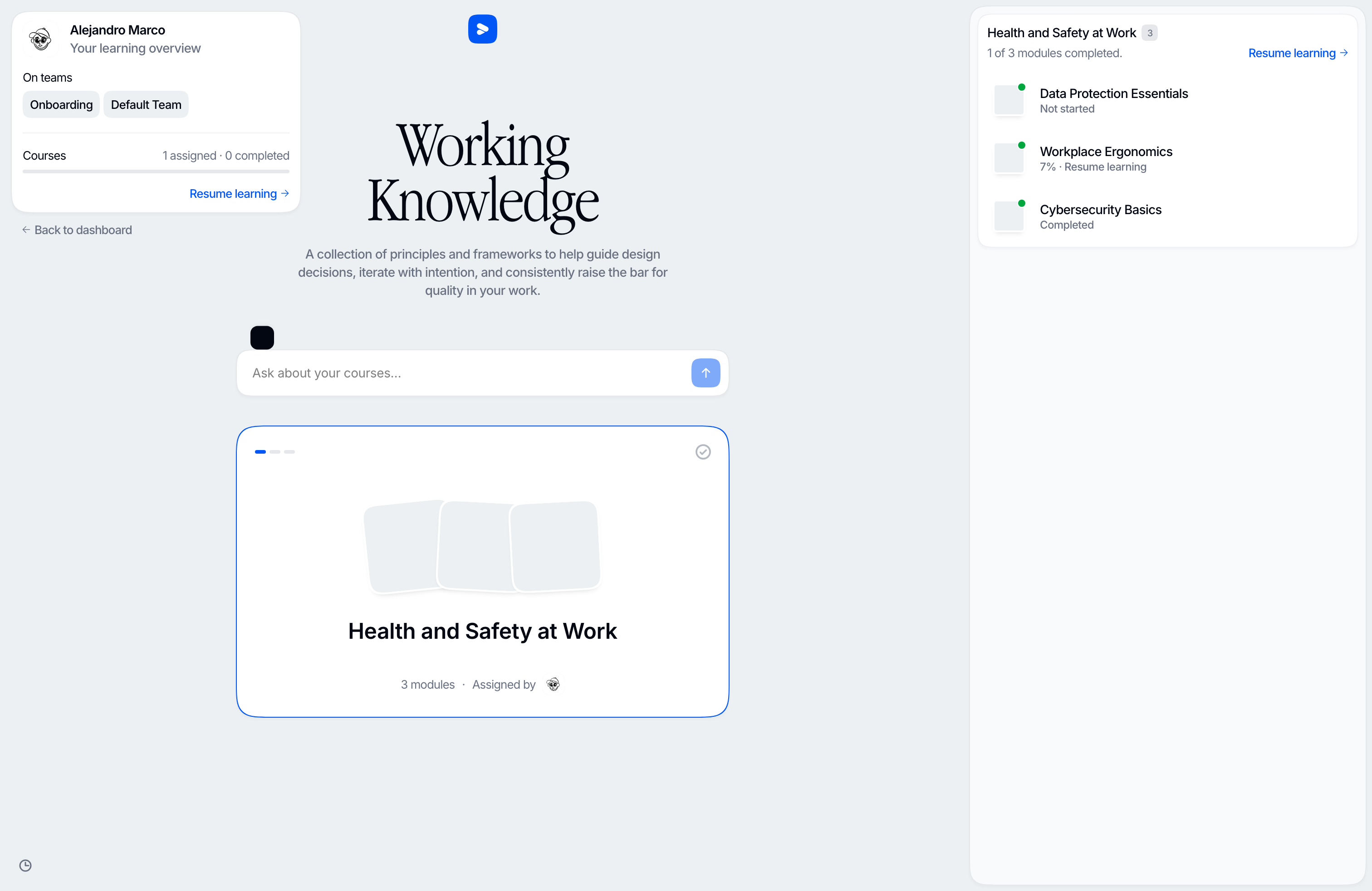
Picking up where you stopped
Leave a module at any point and your place is kept: the scene you were on, and how far into its narration you were.
Resume learning takes you back there. It's on your learning home, and in each course's panel.
If your organization updates a module before you finish it, you start the new version from the beginning. A notice at the top of the module tells you so. A module you've already finished stays finished.
What the statuses mean
In a course's panel, each module reads as one of:
| Status | Meaning |
|---|---|
| Not started | You haven't opened it yet |
| 40% · Resume learning | Started: the number is how far through you are |
| Completed | Every scene in it is complete |
A scene counts as complete once you've heard 70% of its narration. A check counts once you've answered every question on it, and an activity once you've finished it. Skipping to the last scene does not complete a module.
A course counts as completed when you've completed every module it currently has. If your organization adds a module to the course later, you need to complete that one too. If your organization takes a module out of the course, it disappears and no longer counts.
At the top of your learning home, Your learning overview counts your courses, assigned and completed.
Choosing the language
If a course is available in more than one language, its panel offers a Content language selector: the language the course was written in, plus each language your organization offers it in. Pick one, and the modules you open play in that language.
Your place in a module is kept separately for each language: if you switch language, you don't continue from the same point. A module you've completed in one language counts as completed in all of them.
The tutor and the assistant on your learning home are not available while you've chosen a translated language. See Asking questions.
Certificates
Some courses give a certificate. When you get yours, Download certificate appears in the course's panel. It downloads the certificate as a PDF.
You get the certificate automatically when you complete the modules the course requires, if your organization has turned certificates on for that course. Some certificates also need details that only your organization can enter, such as an ID number. If you've finished a course and no certificate appears, ask your organization's admin.
What gets recorded
- Time spent learning
- Scenes you completed
- Answers to checks: which question, which option, right or wrong, which attempt
What isn't recorded
Checks have no free-text answers, so nothing you type is stored from them. Your conversations with the assistants are kept so you can come back to them. See Asking questions.
Who sees it
- Your organization's admins see your progress in every course.
- A team's admins see it for the courses assigned to that team.
For each course they see how many modules you've completed, your progress in each module, when you were last active, and your certificate. What your organization keeps and for how long is its policy, not something you set here.
Last updated on