Deliver through Workday Learning
Connect Workday Learning so your published courses appear there and learners' completions and quiz scores reach their Workday records.
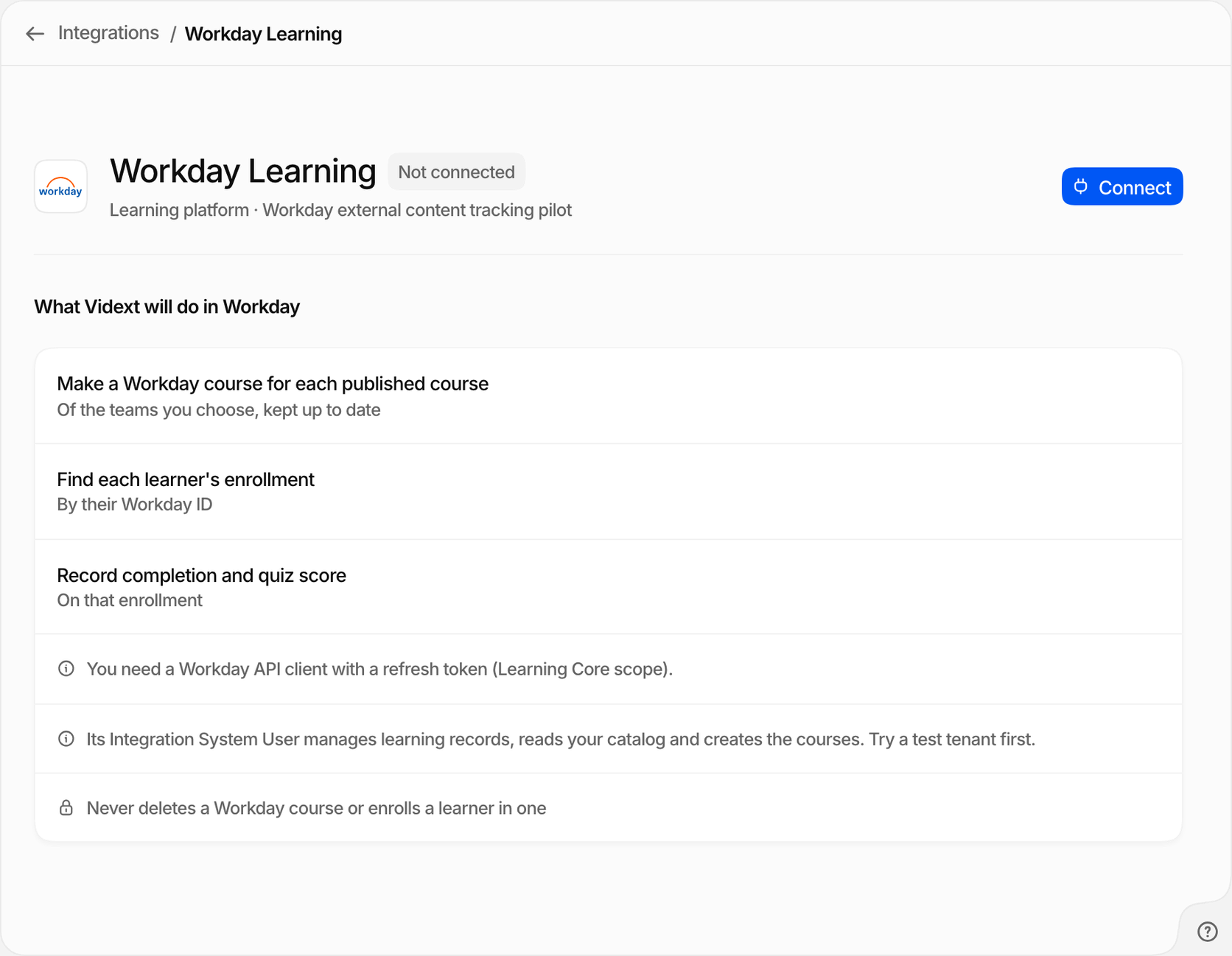
Connect Workday Learning when your company assigns training in Workday. Vidext makes a Workday course for every published course of the teams you choose. Your Workday administrator assigns those courses, learners open them from Workday, and their completion and quiz score land on their Workday enrollment. Workday Learning has no LTI, so this works through Workday's API, with any Workday Learning tenant.
| What | Where | Who |
|---|---|---|
| Prepare API access | Workday | Your Workday administrator |
| Connect and finish the setup | Workday Learning in Integrations | An admin of your Vidext organization |
| Assign the courses to learners | Workday | Your Workday administrator |
| See each result and retry one that stopped | Activity, on the connection's page | An admin of your Vidext organization |
A result goes only to a learner Workday has enrolled in the course.
Before you start
- Learners are members of your Vidext organization. The lesson opens only for a signed-in member. Without single sign-on, add or invite them on Members, or let your directory provision them; they sign in with their email and a six-digit code. With single sign-on, a learner becomes a member the first time they sign in.
Set up the connection
The setup has six steps, and you can leave it and come back.
Prepare API access in Workday
- Create an Integration System User whose security group has Get and Put on Manage: Learning Records (to report results) and Set Up: Learning Catalog (to read your catalog and create a topic, Vidext, for its courses). Activate the security policy changes.
- Add that security group to the Manage Course business process security policy. Vidext makes and updates your courses with it; without it, the fourth step says Workday did not allow making the course.
- With Register API Client for Integrations, create a client with the Learning Core scope and a refresh token that doesn't expire, and generate the refresh token for that user.
- Keep the Client ID, Client Secret and Refresh Token, and copy the REST API Endpoint and Token Endpoint from View API Clients.
Connect in Vidext
In Integrations, select Workday Learning, then Connect. Enter a name, your Workday address and the teams whose courses go to Workday, paste the API client's details and select Save and verify. The step is done only when Workday answers. Endpoints are accepted on workday.com and myworkday.com only. The secret and the refresh token are stored encrypted and never shown again.
Say how learners are identified
Vidext finds each learner's enrollment by their Workday ID. It reads the Completed status your tenant uses from your learning records, so you type nothing; if those records carry more than one, choose one.
Then choose where IDs come from:
| Source | What it needs |
|---|---|
| Directory attribute | A company directory that provisions people to Vidext over SCIM |
| File | A file of emails and Workday IDs that you import. Each person is matched by the email they sign in with |
| Sign-in claim | Single sign-on through Okta or other OIDC, where you add the claim. Enter its Claim name; Vidext stores it each time the learner signs in |
Set Workday ID type to the reference type Workday looks learners up by, such as Employee_ID, or leave it empty when the IDs are Workday IDs. Test with a learner looks one person up, and learner access is verified when Workday answers for them.
Let Vidext make the courses in Workday
Every published course of the integration's teams gets a digital course in Workday, with its title and description and one required External Content lesson with Enable External Completion on. Nothing is picked one by one.
A new course needs four values that differ in every tenant: the topic (Vidext), the statuses of an available course and of one that is not, and the lesson type. Vidext reads them from your Workday, so you type no ID, and Courses Vidext creates in Workday shows each. Until it has all four, it makes no course. When one is missing, the step says what to create in Workday, and Retry reads again.
Two settings are saved here, and saving either later changes the courses already in Workday too:
- Use the Vidext score as the course grade gives every lesson Provide Course Grade.
- Show the courses in Workday's catalog lets learners find the courses by searching or browsing. It starts off, so learners take the courses you assign them.
The step lists each course with where it stands: In Workday, being made, or stopped, with why.
Check the connection and choose what goes with a result
This step shows whether API access, learner access and every Workday course are in place. Under What Vidext sends with a result, choose the Grade that means passed and the Unit Workday uses for minutes from your tenant's own grades and units. Where your Workday lists none, or Vidext could not read the list, the step says so and that value is not sent. Neither is sent until you choose it and select Save result options.
Try it with a learner
Enroll a test learner in the Workday course and open the lesson as them. They sign in to Vidext and land on the course. When they finish, Vidext sends the completion to Workday.
How courses stay in step
Vidext keeps each Workday course's title, description and availability up to date. To change which courses go to Workday, change Teams whose courses go to Workday, in the setup or later in Courses.
| When the course | In Workday |
|---|---|
| Is published in one of the integration's teams | It gets a Workday course |
| Changes its title or description | The change arrives within about an hour |
| Is unpublished, or its team is taken out of the integration | Its Workday course stops being available at once |
| Is archived, deleted, or taken out of a team in Vidext | Its Workday course stops being available within about 10 minutes |
| Applies again | Its Workday course is available again, with the results that were waiting for it |
Vidext makes up to 50 courses at once and the rest over its checks, one every 10 minutes.
Don't add an image or lessons to a course Vidext made. Workday removes from a course whatever an update leaves out, and Vidext can't send those back, so it stops updating that course, and Courses and Activity say so.
What Workday receives
- Completion, with the date the learner finished. For a course, that is when every live module is complete.
- A quiz score from 0 to 100, the share of questions answered right on the first try, only when the lesson has Provide Course Grade.
- The grade you chose as Grade that means passed, with the score.
- The time spent, in minutes, when you set the Unit Workday uses for minutes: how long the Vidext player was on screen and in focus for that learner in that content. A learner with no time on record sends none.
- No progress percentage. Workday marks the lesson in progress when the learner opens it.
Vidext sends each result once per enrollment, to the learner's open enrollment in that Workday course (the newest when there are several), and checks every 10 minutes for anything Workday did not take.
When a result stops
Activity, on the connection's page, lists every result with its state. One that is not sent says why, and Retry queues it again. These are the ones that need you:
| Activity says | What to do |
|---|---|
| No Workday ID for this learner | Get the ID to Vidext from your directory, an import or the learner's next sign-in. These learners are listed first |
| Another learner has the same Workday ID | Correct the ID where it comes from (directory, file or claim), then Retry. Vidext sends nothing for either learner until then. With a directory attribute, it counts two active people in your directory, whether or not both opened the content; a file import names the learners it leaves with a shared ID |
| Workday did not answer | Nothing at first: Vidext tries again, less and less often, for up to a week. After that, Retry |
| The Workday course no longer has this lesson | The lesson Vidext made was deleted in Workday. Make it again with the same address and the results go out on their own; otherwise the course stops in Courses as no longer having only the lesson Vidext made |
| No open enrollment in Workday | Enroll the learner in Workday. Vidext looks again every day for 30 days and when they open the lesson; Retry starts the 30 days again |
| Enable External Completion is off in the Workday lesson | Turn it on in Workday, then Retry the course in Courses and each result here |
| Workday did not allow it | Grant the integration user the permission it lacks (below), then Retry |
| Workday rejected the course | If you chose its topic or a status under Courses Vidext creates in Workday, choose another. Then Retry in Courses, and talk to us if it stops again |
| Workday took the course and does not show it | If making a course waits for an approval in your tenant, approve it in Workday, then Retry in Courses |
| The Workday course has an image, or no longer has only the lesson Vidext made (a lesson was added, or its lesson changed to another type) | Remove the image or the added lessons, or change the title, description or availability in Workday yourself, then Retry |
| The Workday course is still available | Make the course unavailable in Workday yourself, then Retry. Until then learners can still be enrolled in it and find the content unavailable |
| Something failed in Vidext | Retry, and talk to us if it stops again |
If Workday refuses the API client's credentials themselves, Vidext pauses the integration and sends nothing until you verify the API client again in Setup and resume it. Admins get a notification and an email when that happens, and at most once a day when results stop and need them.
Limits
- A module can't be shared on its own, and a course is left out only by taking it out of the integration's teams.
- An integration set up before courses followed the teams may still share a module that has a Workday course of its own, or a course linked to a Workday course of yours. Both keep reporting, and neither can be added. Stop sharing in Courses removes such a module for good.
- Opening a lesson from Workday gives the learner the course it opens. A learner whose teams don't have it joins the integration's team that does with the fewest courses, is enrolled in that course only, and that team's other courses become available to them too.
- Someone who signs in without being a member is offered Request access, which emails your admins (Members, invites, and join requests). Vidext's single sign-on is OIDC; SAML isn't available.
- Playing the content again on one's own is not reported to Workday.
- Disconnecting leaves the courses Vidext made as they are, available ones included, and the confirmation names them. First take every team out under Teams whose courses go to Workday in Courses and wait until no course is listed, or make those courses unavailable in Workday yourself.