Required courses and deadlines
Say whether learners must take a course and by when, and what they see once it has a deadline.
Use this page when a course is mandatory, such as compliance or onboarding training, and learners need to finish it by a certain day. A course is optional until you say otherwise: learners take it whenever they like, and it has no deadline.
Make a course required
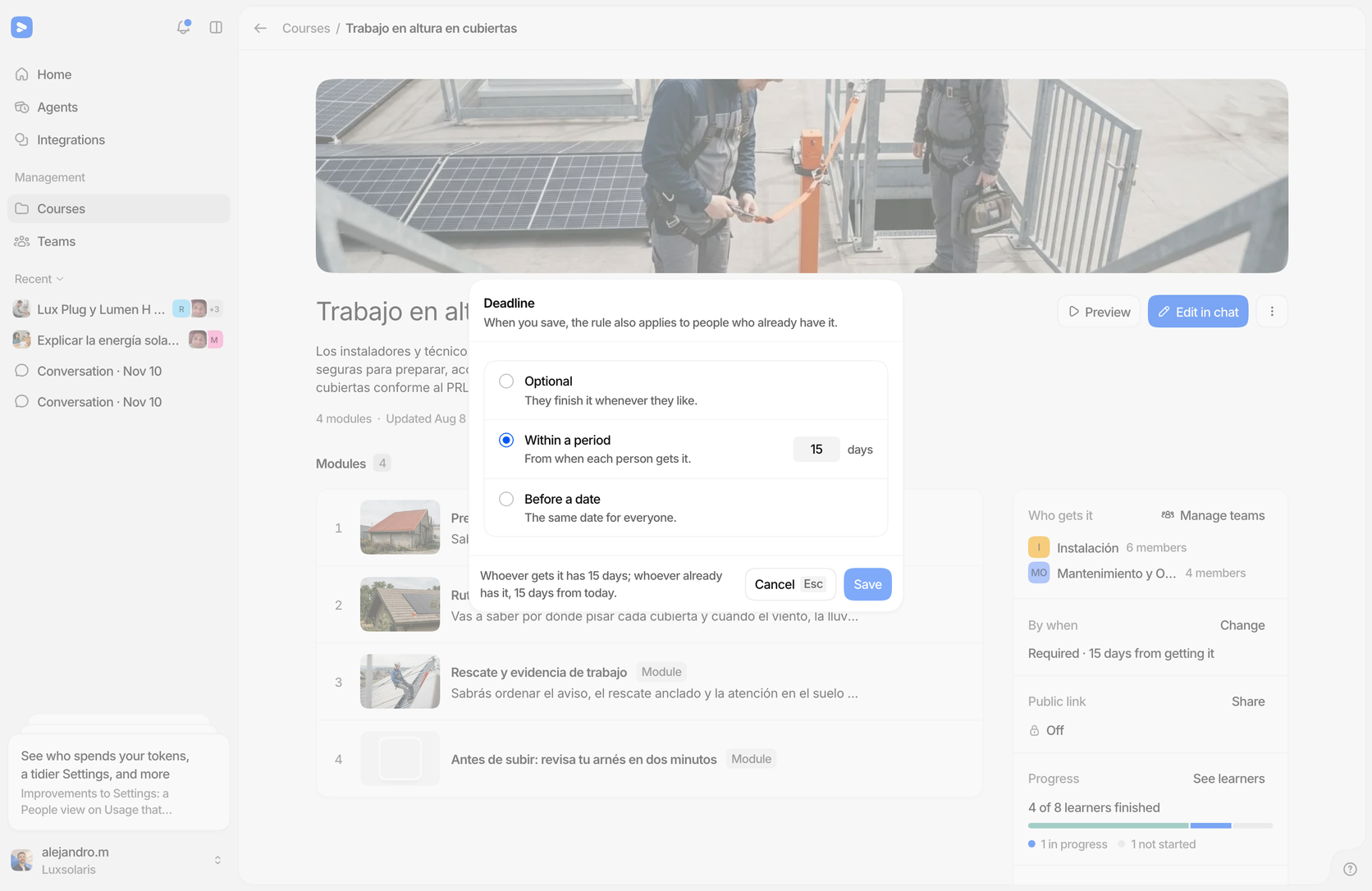
Open the course on Courses. Beside its modules, the By when row says the rule, such as Required · 30 days from getting it. Change opens the Deadline dialog, where you set it.
Choose one of three
- Optional: learners finish it whenever they like, with no deadline.
- Within a period: a number of days, from 1 to 365, counted from the day each learner gets the course, or from the day you save for learners who already have it. Use it for training that keeps reaching new people, such as onboarding.
- Before a date: one deadline for every learner, at the end of that day. The date can be today, but not a day that has passed.
Save
The foot of the dialog says what the rule means before you save it, for example Everyone must finish it before Fri, Nov 20. Save applies it; Cancel closes the dialog without changing anything.
Saving changes the deadline of every learner who has the course and hasn't finished it, straight away, and tells each of them their new deadline in Vidext and by email, except you. With Within a period, those learners get the full number of days from the moment you save, so nobody is late because of the change; learners who get the course later count from the day they get it. Saving the rule as it stands changes nothing and tells nobody. Making a course optional again removes everyone's deadline, without telling them.
One learner can be set apart from the rule on their team's page, in Teams: Give more time gives them a date of their own, which a rule you save later leaves alone, and Excuse from this course or Mark as done ends its reminders for them. See One person, one course.
You can set the rule before the course is published; its learners get their deadlines when they get the course. An archived course still shows its rule, but it can't be changed until you restore the course.
Who can set it
The people who can choose which teams get a course also say whether it is required: organization admins and members. See Teams and assignment and Roles and permissions.
What learners see
- On their Home, required courses come first under To do, overdue ones at the top, each with when it is due or how many days late it is. Optional courses come after, with no deadline.
- My learning shows each course as required, with its deadline, or optional, and has a calendar of deadlines.
- A course's page says whether it is required and by when.
- The learning assistant answers what is due or overdue, and by when.
- The enrollment email names their deadline, or a notice does when the course becomes required after they got it, and reminders follow, to them and to their admins. See Deadline reminders.
Once a learner finishes a course, its deadline no longer applies to them. If an update later makes another module live, they have that module still to do, and the deadline they had still counts while it is ahead; once it has passed, the update never makes them late. They get no overdue reminder, aren't counted as overdue in their admins' summaries or notes, and the course's wrap-up counts them as finished. Saving a new rule leaves the deadline they had. The learner guide is My learning and deadlines.