Plan a course
Answer the agents' questions, approve a course brief and a structure, and choose how much to build — in the chat.
Every course starts in the chat, where you tell Vidext's agents what you want to teach. Vidext's agents are AI agents that research your material, plan the course, write each module and build it. This page walks through planning, in the order you meet it: the agents ask a few questions, propose a course brief, then a structure, and you choose what to build.
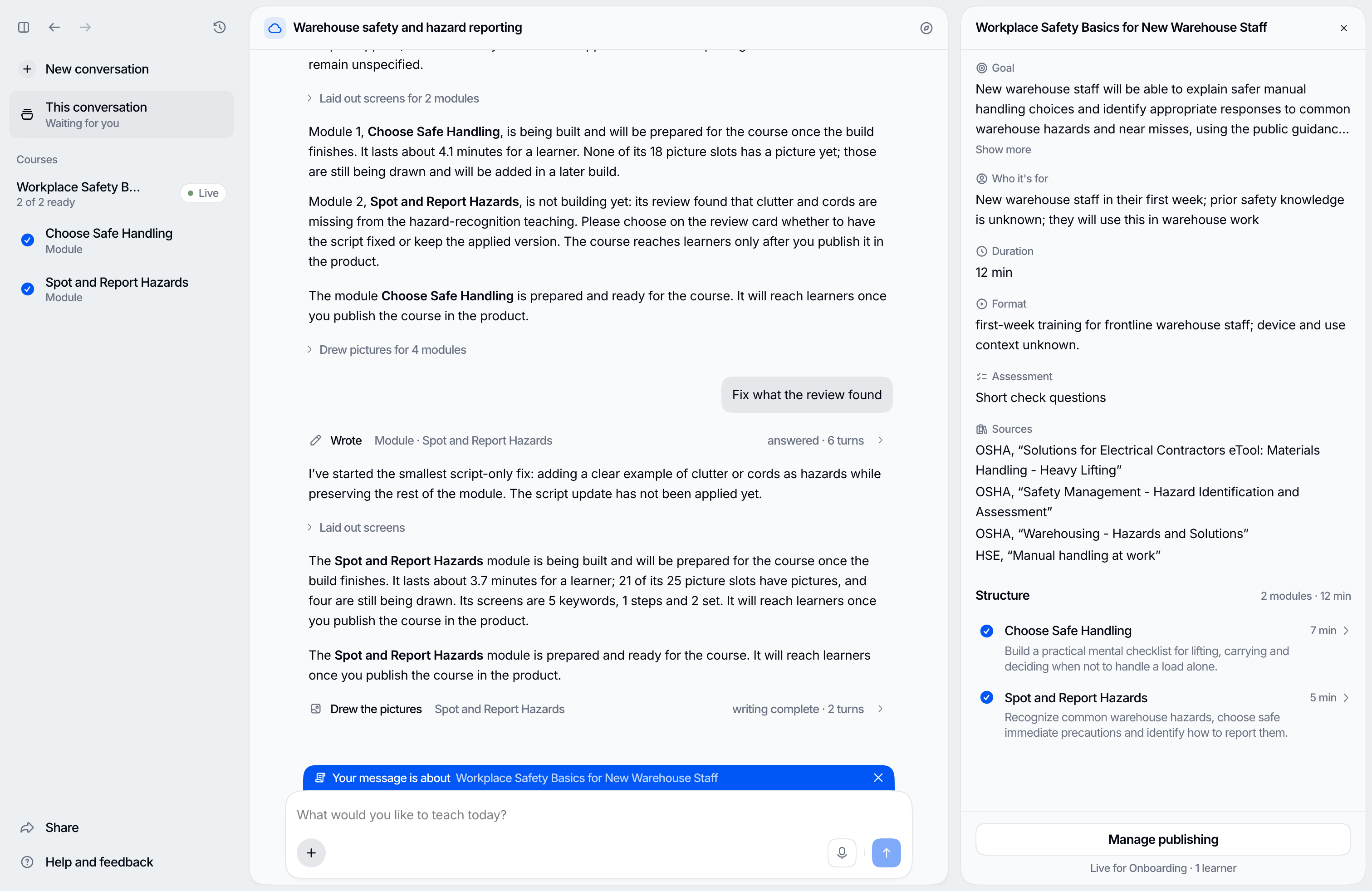
A course is a group of modules for one audience. A module is one short interactive video lesson: narrated screens, sometimes a presenter, and checks of what the learner understood.
Before you start
One honest answer to each of these is enough:
- Who is this for? ("New support agents in their first month")
- What should they be able to do afterwards? ("Choose the right refund route for a standard return")
- What material do you have? (A policy PDF, a process deck, a recorded walkthrough)
You can start from a description alone. Your own material gives the most accurate, most on-brand result. See Adding your sources.
Start from a template
On Home, under the templates, you see a few example modules. Click one to play it in the module preview. Using it as a reference keeps how the module teaches and changes the company, people, places, procedures and language to yours, with pictures drawn new. Choose to use it: the preview closes and the chat input holds the template with a line asking to adapt it. Add who your company is and who the course is for, and send. The agents take the template as the reference for your course. Nothing is created until you send, and clicking the template's chip removes it from the input.
1. The goal comes first
Send your request, with your material attached. The agents read what you gave them and, before anything else, ask what learners must be able to explain, identify, or choose afterwards. A topic ("food safety") is not a goal; the goal is something a quiz can show. When your request already states it, or asks for a faithful conversion of a document ("the whole document", "convert this deck"), the agents restate the goal in one line and carry on.
2. Your material and research
In the same reply, the agents say what your material covers and start researching the public knowledge the goal needs and your material lacks. They do not ask first. Say "only my sources" at any point to stop that research.
What only your organization knows — an internal procedure, a form, a figure — is never invented. The agents ask for it once, saying what it settles, and you can upload it, paste a link, or carry on with the gap marked.
3. The questions
While the research runs, the agents ask about what no source can settle: who the learners are, what they can already do, how much time they have, where you want to review. After the research, they ask only what the evidence left open — for example whether to check understanding with quizzes, and where.
- Each question comes with a suggested answer first and one to three alternatives. Pick one or type your own.
- The agents keep a numbered list of the open decisions, each with its suggestion written out. Answer by number, correct anything, or say "go with your suggestions" to accept them all.
- They never ask about tone, visuals, voice, or images: those come later, when the modules are written and built.
4. Approve the course brief
The course brief is a short summary of who the course is for, what they will learn, and how long it takes. The agents write it from your answers and your material — goal, learners, learning needs, success criteria, evidence, and every decision with where it came from — and show it as a card beside their reply.
Review brief opens the course overview: the Goal and Who it's for, then Format once the brief settles it, Read the full brief, and the Structure, which stays empty until you approve.
The agents then ask what to do next, with three options: approve the brief and create the structure (recommended), review or change it, or provide more information. Choosing the first goes straight on to the structure; the other two keep you on the brief until you are done.
The course's language is settled here too. A course is written in one of the languages Vidext can narrate; ask for one it cannot and the agents say so and ask you to choose another.
5. Approve the structure
From the approved brief, the agents propose the fewest modules that cover the goal. Each module is one coherent thing the learner can do, sized to a few minutes including practice and checks — five to ten unless the brief sets a time. The reply says how ready the structure is, what is still missing, and what was cut and why.
You can split, merge, reorder, rename, or remove modules, or change their objectives, by asking.
Once the structure is saved, the course appears under Content as a draft, with its modules. A module belongs to one course at a time.
A draft course you created yourself on Modules and courses, with no modules yet, can be filled the same way: name it in the conversation, and the agents plan into that course instead of making a second one with the same name.
6. Choose what to build
Building a module means the agents write its script — the words and screens of the module — and then turn it into a playable module. Once the structure is approved, choose how to go on:
- Build the first module (recommended) — one module is written and built, so you can check it before the rest.
- Build all the modules — every module is written and built, up to three at a time.
- Change the structure — keep editing first.
A course of one module offers Build the module (recommended) and Change the structure. If you close the question without choosing, the course overview still offers Build the first module until a module is started; see Build the course.
After the first module is built, the agents offer to build the rest of the course, change that module, or change the structure. They write these choices in the language you write in.
Several courses from one request
When a request covers audiences with different needs, or a mandate that must be assigned on its own, the agents propose several courses — a learning path — each with its own goal. A large set (more than one course, or more than about six modules) first comes as an outline of the courses and their modules, with two choices: write the modules (recommended) or change the outline.
Where the agents stop to ask you
By default the agents stop twice: once for you to approve the course brief and once to approve the structure. Tell them where you want to stop instead, in your own words:
| You say | The agents |
|---|---|
| "Just the brief" | Confirm the brief with you, then write the structure and the modules without stopping. |
| (nothing) | Stop for the brief and for the structure. |
| "Show me the plan first" | Also stop after each module's plan, before its script is written. |
| "Do it directly, don't ask me" | Ask nothing: take every suggestion, list them as assumptions, and go on to the built modules. |
A stop you name always wins — "write the brief and stop there" ends the work at the brief. The agents remember a lasting preference about where you review for later conversations. Even when told not to ask, they still stop for what only you can decide, such as requirements that conflict, and still ask for an organization document the course needs.
Next
Once modules are built, watch and adjust them in the studio, and see Build, review, and get ready to publish for what happens to each module. For why the agents design courses this way, see How Vidext designs a course.
Last updated on