Working by chat
Chat is how you operate Vidext — at the organization level and inside each module.
Chat is not a help widget in Vidext — it is a way of operating the product. There are two scopes, and knowing which one you are in makes both more useful.
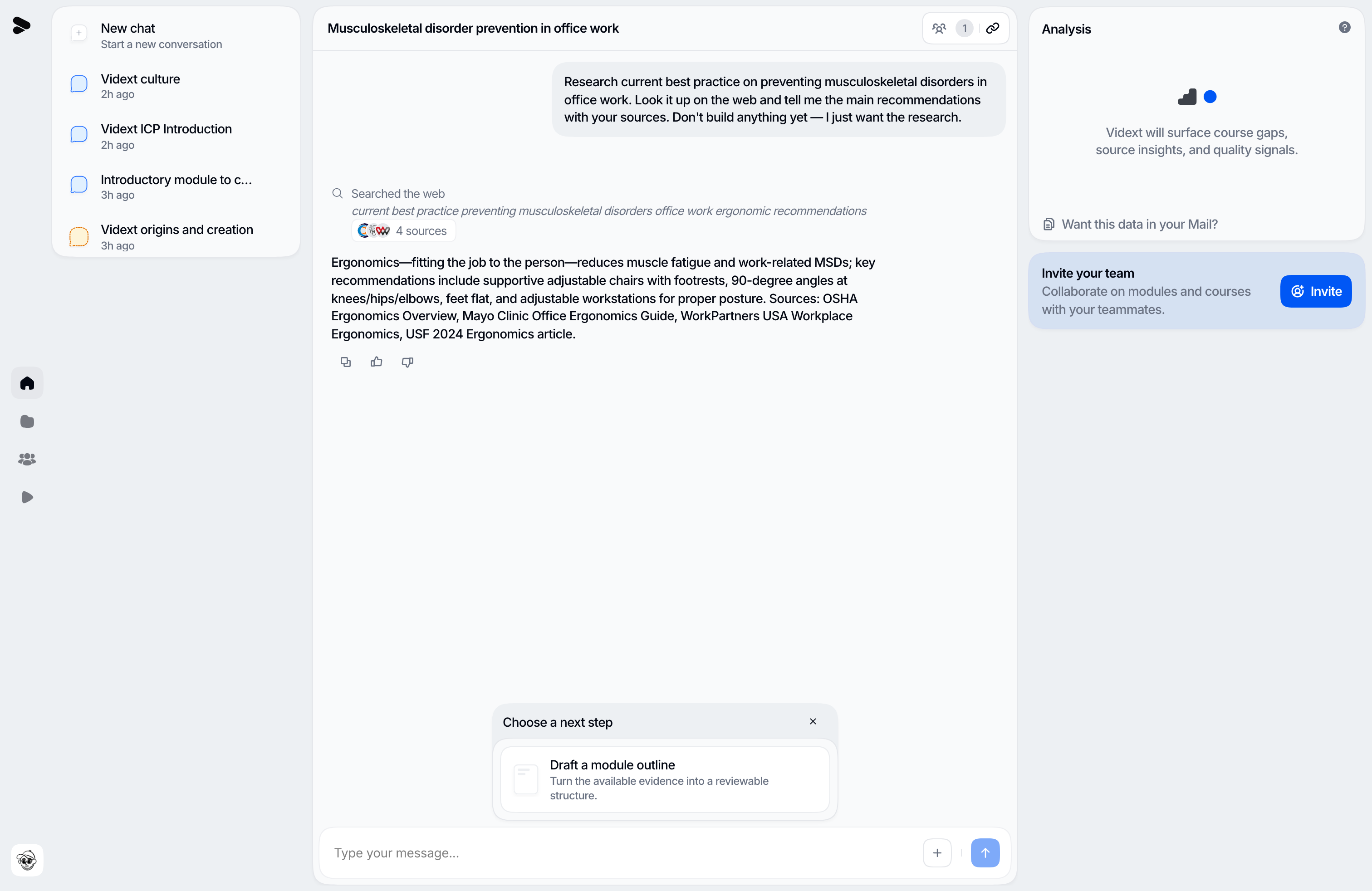
Workspace chat
Workspace-level chat — your Vidext home — is the operating surface for creation, not a shortcut around a separate UI. From it you can do things across your organization: start a new module from a description, check what state a course is in, find existing content, and take work from idea to a built module. An explicit request to create or build starts the module directly: Vidext plans internally, opens the module canvas, and shows narrative, text, and interactions while the remaining media is generated. There is no outline panel or second confirmation turn.
If you ask only for a plan or outline, Vidext keeps the result in chat and stops there. That distinction lets you explore an idea without creating a module, while direct creation requests keep moving without ceremony.
Things you can say:
- "Create a module about our refund policy for new support agents — use the policy doc I uploaded yesterday."
- "What's the status of the onboarding course?"
- "Open the GDPR module for editing."
After each reply, Vidext offers a few suggested next steps you can click to keep moving — or dismiss them and keep typing.
Module chat
Inside a module, chat is scoped to that module: grounded in its content and its concept wiki. Use it while reviewing a draft or a published module to interrogate the content — "where does this module cover escalations?", "what source backs this claim?".
Learners get a module-scoped chat too, with stricter rules — it tutors, it never gives away a quiz question that is still open, and it says when the material does not cover a question. See The AI tutor.
Work in your language
Chat works in your language. The operator replies in the language of your workspace, and switches to follow you if you write in another. Modules are authored in that same language by default, so a course comes out in the language you are working in — without a separate setting. To produce a module in a different language, say so in the creation request ("create this module in French") or ask Vidext to translate the draft afterwards.
Boundaries that keep chat trustworthy
- Chat acts as you: it can only see and do what your role allows.
- Module chat cannot reach outside its module.
- Anything that ships still flows through the publication gate — builds produce drafts, presenter video begins only after Publish, and learners move to the new version only after it verifies successfully.
Same engine as external AI assistants
Connecting Claude or ChatGPT to Vidext gives those assistants the same capabilities under the same rules. See Use Vidext with your AI assistant.
Last updated on